Whether you want to generate high-quality leads, drive product sales, or increase event registrations, a dedicated landing page is your ultimate tool for Conversion Rate Optimization (CRO). Unlike standard website pages, a landing page is engineered with a single focus: eliminating distractions and forcing a specific user action.
Thanks to the flexibility of WordPress, building a high-converting landing page does not require advanced coding skills. In this comprehensive technical guide, we will walk you through the exact framework to design, optimize, and launch a WordPress landing page that ranks on Google and converts traffic into revenue.
Why Choose WordPress for Your Landing Pages?
WordPress powers over 43% of all websites globally, offering an unparalleled ecosystem of themes, page builders, and SEO plugins. Utilizing WordPress for your landing pages provides:
Complete Data Ownership: You aren’t locked into expensive SaaS landing page platforms.
Advanced SEO Control: Full optimization of schema markup, permalinks, and meta tags.
Seamless Integration: Connects natively with CRM systems, email marketing software, and analytics tools.
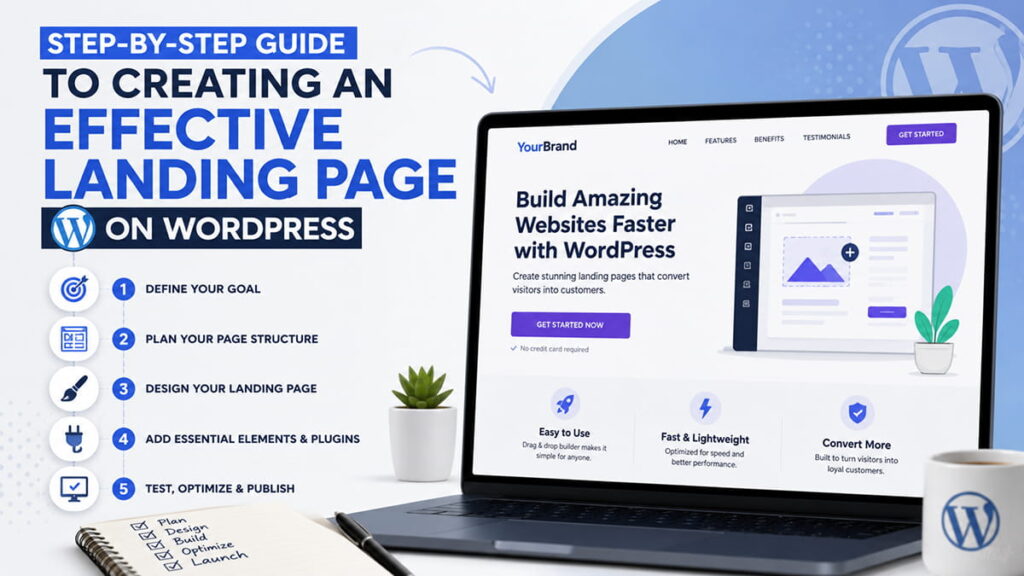
Step 1: Define Your Conversion Goal and Target Audience
Before touching any design software, define the exact macro-conversion you want to achieve. A blurred objective leads to a low conversion rate.
Lead Generation: Capturing user data (emails, phone numbers) via lead magnets, ebooks, or free consultations.
Direct Sales: Driving users directly to a product checkout or service subscription page.
Event Registration: Gathering sign-ups for webinars, workshops, or local events.
SEO / AIO Tip: Align your content with the search intent of your target audience. If users are searching for a technical solution, your landing page copy must reflect technical expert-level knowledge (EEAT).
Step 2: Select the Best WordPress Landing Page Plugins
To build a custom layout without touching code, you need a powerful, clean-coded page builder. Avoid bloated options that degrade page speed.
Top WordPress Page Builders for CRO:
Elementor / Elementor Pro: The industry standard for visual editing, offering robust landing page templates and popup builders.
Bricks Builder / Oxygen: Ideal for advanced developers who prioritize ultra-fast performance and clean HTML outputs.
Gutenberg (Block Editor): The native WordPress editor combined with block plugins (like Kadence Blocks or Spectra) for maximum speed.
Step 3: Architect a Clear Header and Compelling H1 Headline
Your above-the-fold content decides whether a user stays or bounces. Google’s AI Overviews heavily analyze the top sections of pages to extract quick answers.
The H1 Headline: Must state the primary benefit of your offer in 5-10 words. Include your primary keyword naturally.
The Subheadline (H2): Support the H1 by clarifying how you deliver that benefit or solving a specific pain point.
Primary CTA: Place a clear, high-contrast Call-to-Action (CTA) button above the fold.
Step 4: Design a Clean, Focused Visual Layout (UX/UI Best Practices)
A successful landing page structure minimizes cognitive load. Follow this proven conversion-focused layout:
[ Header: Minimal Logo | No Navigation Menu ]
                     ↓
[ Above the Fold: Main H1 + Subheading + Hero Image + Primary CTA ]
                     ↓
[ Social Proof: Trust Badges / Client Logos ]
                     ↓
[ Features & Benefits: Bulleted list with 3-4 key pillars ]
                     ↓
[ Social Proof: Deep Testimonials / Case Studies ]
                     ↓
[ Bottom Section: Final CTA + FAQ Block ]
Remove Navigation Menus: Do not include your standard website header/footer menu. Outbound links give users an escape route, drastically lowering conversion rates.
Step 5: Optimize for Mobile-First Indexing and Page Speed
Google strictly uses Mobile-First Indexing. If your landing page takes longer than 2.5 seconds to load, you could lose over 50% of your traffic.
Core Web Vitals Checklist for WordPress:
Compress Images: Convert all visual assets to next-gen formats like WebP or AVIF.
Implement Caching: Use advanced caching plugins like WP Rocket or LiteSpeed Cache.
Optimize Core Web Vitals: Focus on LCP (Largest Contentful Paint) and INP (Interaction to Next Paint) by minimizing render-blocking JavaScript and CSS.
Step 6: Embed Strong Trust Signals (EEAT Signals)
Modern search engines and users prioritize transparency. Build credibility instantly by injecting these trust indicators into your landing page design:
Customer Testimonials: Use real photos, full names, and job titles where possible.
Video Reviews: Video embeds increase dwell time, which sends a positive UX signal to search algorithms.
Security Badges & Guarantees: Display SSL certificates, money-back guarantees, or industry accreditations.
Step 7: Deploy Tracking, Analytics, and A/B Testing
Never rely on guesswork. To continuously scale your performance, you must measure user behavior accurately.
Google Analytics 4 (GA4): Track specific custom events (e.g., form submissions, button clicks).
Heatmaps (Hotjar / Microsoft Clarity): Analyze how far down users scroll and where they experience friction.
A/B Testing: Regularly split-test your headlines, CTA button colors, and form layouts using tools like Nelio A/B Testing or VWO.
❓ Frequently Asked Questions (FAQ)
What is the ideal length for a WordPress landing page?
The length depends on the complexity of your offer. Low-risk offers (free ebooks, newsletters) require short, concise pages. High-ticket services or complex B2B products require long-form landing pages with deep technical details to address all potential customer objections.
Can I build a landing page without paying for external plugins?
Yes. You can use the native WordPress Block Editor (Gutenberg) alongside a lightweight theme like Astra or Kadence. By changing the page template setting to “Canvas” or “Blank Page”, you can remove the standard header and footer for free.
How do I hide a landing page from Google’s main search results?
If your landing page is designed exclusively for paid ad campaigns (Google Ads / Meta Ads) and you want to avoid duplicate content issues, check the “discourage search engines” option in your SEO plugin (Rank Math / Yoast), which adds a noindex, nofollow tag to the page header.
Need an Expert WordPress Landing Page That Drives ROI?
Building a high-converting landing page requires a precise blend of technical SEO, flawless UX/UI design, and persuasive copywriting. At Ace Web Agency, we specialize in developing blazing-fast, custom WordPress landing pages tailored to international markets (US, EU, UA).
[ Contact Ace Web Agency Today ] for a data-driven consultation and let’s turn your organic traffic into recurring revenue!