Choosing the best CMS for SEO in 2026 is no longer just about editing title tags, creating clean URLs, or installing an SEO plugin.
Modern search visibility depends on a much broader set of factors: technical SEO, site speed, structured data, content architecture, crawlability, Core Web Vitals, mobile performance, and increasingly, how easily AI-powered search engines can understand and reference your content.
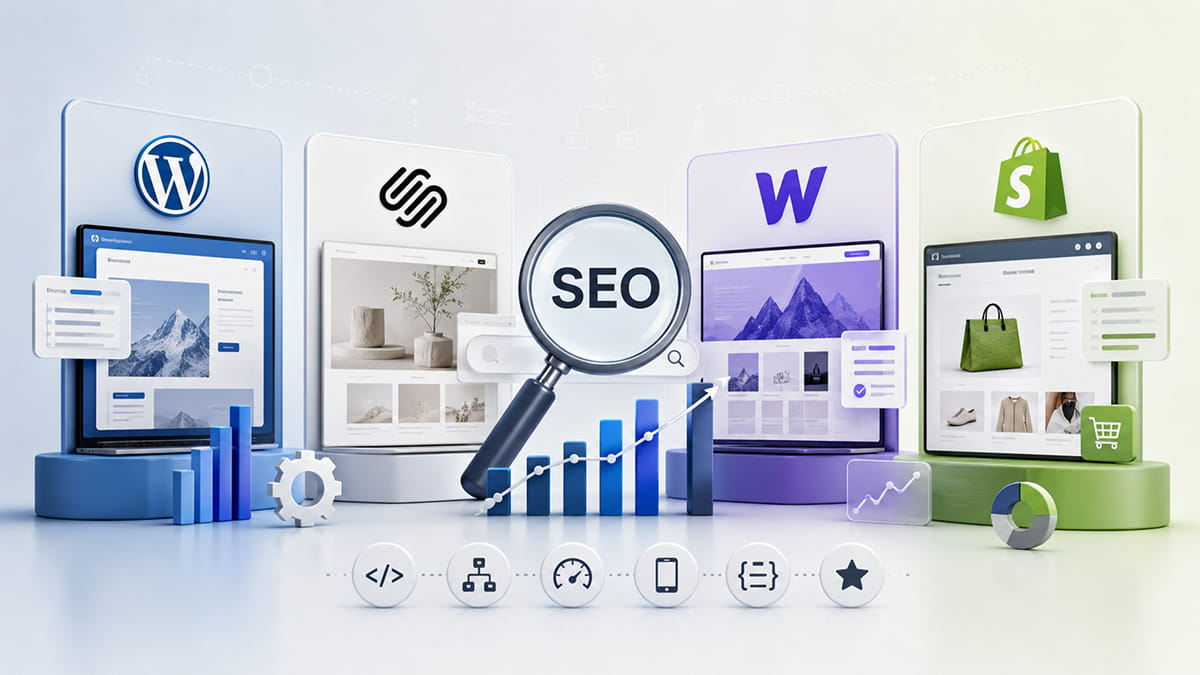
So which CMS is best for SEO in 2026: WordPress, Squarespace, Webflow, or Shopify?
Quick Answer
WordPress is the best overall CMS for SEO in 2026 because it provides the greatest control over technical SEO, structured data, content architecture, performance optimization, and integrations.
However, it is not automatically the best platform for every website.
- WordPress: Best overall for SEO, content-heavy websites, service businesses, and long-term organic growth.
- Squarespace: Best for small businesses and service websites that want strong SEO without complex maintenance.
- Webflow: Best for design-focused websites that need clean front-end control and strong technical SEO capabilities.
- Shopify: Best for e-commerce businesses where product management, scalability, and commerce functionality are more important than complete technical SEO flexibility.
The right choice depends on your business model, website complexity, growth strategy, and how much control you need.
What Makes a CMS Good for SEO in 2026?
A CMS does not rank a website by itself.
Google and other search engines rank pages based on the quality, relevance, accessibility, authority, and technical condition of the website and its content.
However, your CMS determines how easily you can optimize those elements.
A strong SEO-friendly CMS should provide control over:
- SEO titles and meta descriptions
- Heading structure
- Clean and editable URLs
- Canonical URLs
- XML sitemaps
- Robots directives
- Image alt text
- Internal linking
- Redirects
- Structured data and Schema.org markup
- Page speed
- Core Web Vitals
- Mobile responsiveness
- Indexation
- Content architecture
- JavaScript rendering
- Image optimization
- Open Graph metadata
- Multilingual SEO
- Analytics and tracking integrations
In 2026, there is another important consideration: AI visibility.
Your website should also make it easy for AI-powered systems to identify your business, understand your services, connect entities, extract factual information, and cite useful content.
This is where SEO increasingly overlaps with GEO (Generative Engine Optimization) and AIO (AI Optimization).
WordPress SEO: Is WordPress Still the Best CMS for SEO?
For most businesses focused heavily on organic search, WordPress remains the strongest overall CMS for SEO in 2026.
Its biggest advantage is control.
WordPress can be configured for relatively simple local business websites, but it can also support large content platforms with thousands of pages, custom post types, advanced structured data, international SEO, and highly customized site architecture.
Why WordPress Is Good for SEO
1. Extensive SEO Control
WordPress gives developers and SEO specialists access to almost every important part of a website.
You can control:
- Metadata
- Canonicals
- Robots directives
- XML sitemaps
- Redirects
- Schema markup
- Breadcrumbs
- Taxonomies
- Archive pages
- Pagination
- Internal linking
- Crawl behavior
Plugins such as Yoast SEO and Rank Math can simplify many common SEO tasks, while developers can implement custom solutions when more control is required.
2. Advanced Schema Markup
Structured data is increasingly important for helping search engines and AI systems understand websites.
With WordPress, you can implement standard or completely custom JSON-LD structured data.
Depending on the website, this can include:
- Organization
- LocalBusiness
- Person
- Service
- Product
- Article
- BlogPosting
- FAQPage
- BreadcrumbList
- WebSite
- WebPage
Custom Schema implementation is particularly useful when a business wants greater control over how its services, authors, locations, and other entities are represented to machines.
3. Excellent Content Scalability
WordPress was originally built around publishing, and content remains one of its strongest areas.
Businesses can create sophisticated structures involving:
- Blog posts
- Service pages
- Location pages
- Case studies
- Portfolio projects
- Author pages
- Knowledge bases
- Industry pages
- Landing pages
Custom Post Types and custom fields can make these structures even more scalable.
This is a major advantage for businesses planning a long-term SEO content strategy.
4. Strong GEO and AIO Potential
WordPress also provides excellent flexibility for Generative Engine Optimization and AI search optimization.
You can create clearly structured content, detailed author information, custom structured data, entity relationships, FAQs, comparison pages, original research, and machine-readable information without being heavily restricted by the CMS.
This does not guarantee citations in ChatGPT, Google AI Overviews, Gemini, Perplexity, or other AI systems.
But it gives you strong technical foundations for making your content understandable and discoverable.
WordPress SEO Disadvantages
WordPress has one major weakness: flexibility creates responsibility.
A poorly configured WordPress website can suffer from:
- Slow loading
- Plugin conflicts
- Bloated page builders
- Duplicate content
- Unnecessary scripts
- Poor database optimization
- Incorrect Schema
- Security problems
- Indexation issues
WordPress therefore has the highest SEO ceiling of these four platforms, but achieving it often requires more technical expertise.
WordPress SEO Verdict
Best for: businesses serious about SEO, content marketing, local SEO, custom websites, publishers, SaaS companies, and businesses planning long-term organic growth.
SEO flexibility: Excellent
Technical SEO control: Excellent
Content scalability: Excellent
Schema flexibility: Excellent
Ease of use: Good
Maintenance requirements: High
Squarespace SEO: Is Squarespace Good for SEO in 2026?
Yes. Squarespace is good for SEO in 2026, especially for small and medium-sized business websites.
The idea that Squarespace is inherently bad for SEO is outdated.
Squarespace provides most of the fundamental functionality needed to build a search-friendly website without requiring a large collection of plugins.
Why Squarespace Is Good for SEO
Squarespace includes many important SEO features by default, including:
- Editable SEO titles
- Meta descriptions
- Clean URLs
- Automatic XML sitemaps
- SSL
- Mobile-responsive layouts
- Image alt text
- Redirect management
- Automatic canonicalization
- Structured content architecture
Because hosting and much of the technical infrastructure are managed by Squarespace, website owners also have fewer technical maintenance responsibilities.
Squarespace SEO Is Particularly Good for Service Businesses
For businesses such as:
- Consultants
- Architects
- Designers
- Photographers
- Agencies
- Restaurants
- Professional services
- Local businesses
Squarespace can provide more than enough SEO functionality.
A well-structured Squarespace website with strong service pages, local optimization, quality content, internal links, and relevant backlinks can compete effectively in organic search.
Squarespace and GEO/AIO
Squarespace can also be optimized for AI search visibility.
The most important factors are not CMS-specific.
Clear service descriptions, strong About pages, expert content, consistent business information, question-and-answer sections, and well-structured pages can all help machines better understand the website.
Custom code can also be used when additional structured data or technical implementation is required.
Squarespace SEO Limitations
Compared with WordPress, Squarespace offers less control over deeper technical elements.
Advanced SEO projects may encounter limitations involving:
- Complex Schema implementations
- Large-scale programmatic SEO
- Highly customized taxonomies
- Advanced server configurations
- Technical performance optimization
- Large multilingual architectures
- Complex content relationships
For most small business websites, these limitations may never become significant.
Squarespace SEO Verdict
Best for: small businesses, consultants, creatives, local businesses, and companies that want a professional website with good SEO and minimal technical maintenance.
SEO flexibility: Good
Technical SEO control: Good
Content scalability: Good
Schema flexibility: Moderate
Ease of use: Excellent
Maintenance requirements: Low
Webflow SEO: Is Webflow Good for SEO?
Webflow is one of the strongest visual website platforms for technical SEO control.
It sits somewhere between the simplicity of Squarespace and the flexibility of WordPress.
Webflow is particularly attractive to designers and development teams that want detailed front-end control without managing a traditional WordPress environment.
Why Webflow Is Good for SEO
Webflow provides direct control over many important SEO elements, including:
- SEO titles
- Meta descriptions
- URLs
- Heading hierarchy
- Alt attributes
- Canonicals
- Redirects
- Sitemap settings
- Robots.txt
- Open Graph settings
Its visual development approach can also produce highly customized responsive layouts without depending on a large plugin ecosystem.
Webflow CMS and Content SEO
Webflow CMS allows teams to create structured collections for content such as:
- Blog posts
- Projects
- Case studies
- Team members
- Services
- Resources
- Locations
Dynamic fields can then populate page templates.
For moderately sized content strategies, this can be extremely effective.
Webflow for GEO and AI Search
Webflow provides enough front-end flexibility to create strong semantic content structures and machine-readable pages.
Developers can also add custom structured data and scripts when necessary.
As with other platforms, however, AI visibility depends far more on the quality and structure of the information than on the Webflow brand itself.
Webflow SEO Limitations
Webflow can become less convenient when websites require extremely complex content relationships, advanced backend functionality, or very large publishing workflows.
It can also require more technical knowledge than Squarespace.
Webflow SEO Verdict
Best for: design-led companies, SaaS websites, marketing websites, portfolios, and businesses wanting strong design flexibility combined with good technical SEO control.
SEO flexibility: Very Good
Technical SEO control: Very Good
Content scalability: Very Good
Schema flexibility: Very Good
Ease of use: Good
Maintenance requirements: Low to Moderate
Shopify SEO: Is Shopify Good for SEO?
Shopify is the strongest option among these platforms when e-commerce is the primary requirement.
Its SEO capabilities are generally good, but its biggest advantage is not pure SEO flexibility. It is the combination of SEO, product management, checkout functionality, integrations, payments, inventory, and e-commerce scalability.
Why Shopify Is Good for SEO
Shopify provides essential SEO functionality such as:
- Editable titles
- Meta descriptions
- Product descriptions
- Image alt text
- Automatic sitemaps
- Canonical tags
- SSL
- Mobile-friendly themes
- Redirects
- Product structured data support
Its ecosystem also provides apps for additional SEO functionality.
Shopify SEO for E-commerce
Shopify is particularly strong for product-focused search strategies.
A properly optimized store can target queries across:
- Product pages
- Collection pages
- Category searches
- Buying guides
- Comparison pages
- Blog content
- Informational searches
The CMS is designed around the relationships between products, collections, variants, inventory, and checkout.
That makes it much more practical for serious e-commerce than forcing a content-first CMS to behave like a commerce platform.
Shopify SEO Limitations
Shopify offers less control than WordPress over certain aspects of website architecture.
Depending on the project, limitations can include:
- Predetermined URL structures
- Duplicate URL considerations
- Limited server-level control
- App-related performance overhead
- Less flexibility for unusual content structures
These are not reasons to avoid Shopify.
They simply mean that businesses should choose it primarily because they need a strong commerce platform—not because it offers maximum technical SEO freedom.
Shopify SEO Verdict
Best for: online stores, DTC brands, product businesses, and companies where e-commerce operations are the core requirement.
SEO flexibility: Good
Technical SEO control: Good
E-commerce SEO: Excellent
Schema flexibility: Good
Ease of use: Excellent
Maintenance requirements: Low to Moderate
WordPress vs Squarespace vs Webflow vs Shopify for SEO
Here is a practical comparison of the four platforms:
| SEO Factor | WordPress | Squarespace | Webflow | Shopify |
|---|---|---|---|---|
| Overall SEO flexibility | Excellent | Good | Very Good | Good |
| Technical SEO control | Excellent | Good | Very Good | Good |
| Content SEO | Excellent | Very Good | Very Good | Good |
| Schema customization | Excellent | Moderate | Very Good | Good |
| Page speed potential | Excellent* | Good | Very Good | Good |
| Local SEO | Excellent | Very Good | Very Good | Good |
| Blogging | Excellent | Very Good | Very Good | Good |
| E-commerce SEO | Very Good | Good | Good | Excellent |
| GEO/AIO flexibility | Excellent | Good | Very Good | Good |
| Ease of management | Good | Excellent | Good | Excellent |
| Maintenance | Higher | Low | Low–Moderate | Low–Moderate |
*WordPress performance depends heavily on hosting, theme, plugins, development quality, and optimization.
Which CMS Is Best for SEO in 2026?
There is no universal winner for every website.
But if SEO capability alone is the priority, our ranking is:
1. WordPress — Best Overall CMS for SEO
Choose WordPress if you need maximum control over technical SEO, content architecture, Schema, integrations, and future scalability.
It is particularly suitable for businesses planning to make organic search a major customer acquisition channel.
2. Webflow — Best Combination of Design and SEO Control
Choose Webflow if design flexibility is extremely important but you still want strong technical SEO control without maintaining the traditional WordPress ecosystem.
3. Squarespace — Best SEO CMS for Simplicity
Choose Squarespace if you need a professional, relatively simple website and want solid SEO capabilities without significant technical maintenance.
For many service businesses, Squarespace offers a better balance than a more complex CMS.
4. Shopify — Best CMS for E-commerce SEO
Choose Shopify when your website exists primarily to sell products.
WordPress may provide greater general SEO flexibility, but Shopify provides an ecosystem specifically designed for commerce.
What Is the Best CMS for AI Search and GEO?
There is currently no CMS that automatically makes a website rank in AI-generated answers.
For GEO and AIO, the underlying content and technical implementation matter more than the CMS name.
AI-friendly websites should provide:
Clear Entity Information
Clearly explain:
- Who the company is
- What it does
- Who its customers are
- Where it operates
- Who its experts are
- What services or products it provides
Avoid vague marketing language when a precise factual statement would communicate more information.
Structured Content
Use descriptive headings, short answer-first paragraphs, lists, tables, definitions, comparisons, and FAQs where they genuinely improve the page.
This makes information easier for both users and machines to interpret.
Strong Structured Data
Relevant Schema markup can provide additional machine-readable context about businesses, people, products, services, articles, and website relationships.
Expert and Trust Signals
Where appropriate, content should clearly identify its author, expertise, publication date, and update date.
Businesses should also maintain consistent information across their website and other authoritative online profiles.
Original Information
AI search creates even more incentive to publish content that adds something new.
Examples include:
- First-hand experience
- Case studies
- Original research
- Statistics
- Experiments
- Expert commentary
- Proprietary frameworks
- Real project results
Simply publishing another generic article targeting the same keyword provides increasingly little competitive advantage.
Does the CMS Affect Google Rankings?
The CMS itself is generally not the deciding ranking factor.
Google does not simply rank a WordPress website above a Squarespace, Webflow, or Shopify website because of the platform it uses.
What matters is what the CMS allows you to build.
A properly optimized Squarespace website can outperform a poorly optimized WordPress website.
A technically excellent Webflow website can lose to a Shopify store with better content, products, backlinks, and brand authority.
The question therefore should not only be:
“Which CMS is best for SEO?”
A better question is:
“Which CMS gives my business the right combination of SEO control, scalability, performance, functionality, and ease of management?”
How to Choose the Best CMS for Your Business
Before choosing your CMS, consider these five questions.
1. Is SEO a Major Acquisition Channel?
If organic search will be one of your main sources of leads, WordPress usually provides the strongest long-term flexibility.
2. How Complex Will the Website Become?
A five-page business website has very different requirements from a website containing hundreds of service, location, resource, and landing pages.
More complex SEO architectures benefit from greater CMS flexibility.
3. Do You Sell Products Online?
If e-commerce is the core business model, Shopify should be one of your first options.
4. Who Will Manage the Website?
Technical flexibility is only valuable when someone can manage it properly.
Squarespace may produce better real-world results for a small business owner than an advanced WordPress installation they cannot maintain.
5. How Important Is Future Scalability?
Think beyond the website you need today.
Consider whether you may later need:
- Multiple languages
- Hundreds of landing pages
- Advanced Schema
- CRM integrations
- Marketing automation
- Custom APIs
- Membership functionality
- Advanced analytics
- Programmatic SEO
- Custom content types
These requirements can significantly change which CMS makes sense.
Final Verdict: What Is the Best CMS for SEO?
For most SEO-focused businesses in 2026, WordPress is the best overall CMS for SEO because it offers the highest level of technical control and scalability.
But the best platform depends on the website:
Choose WordPress for maximum SEO flexibility and long-term organic growth.
Choose Squarespace for simplicity, low maintenance, and strong SEO fundamentals.
Choose Webflow for advanced design combined with strong technical SEO control.
Choose Shopify for e-commerce and product-focused SEO.
The CMS is only the foundation.
Content quality, site architecture, technical implementation, backlinks, brand authority, user experience, structured data, and ongoing optimization ultimately determine how competitive your website can become in traditional and AI-powered search.
Frequently Asked Questions
What is the best CMS for SEO in 2026?
WordPress is generally the best CMS for SEO in 2026 when maximum technical control, content scalability, structured data, and customization are priorities. Squarespace, Webflow, and Shopify can also perform extremely well when matched to the right type of website.
Is WordPress better for SEO than Squarespace?
WordPress provides greater technical SEO flexibility than Squarespace, particularly for advanced Schema, large content architectures, custom functionality, and complex optimization. Squarespace is easier to manage and provides strong built-in SEO functionality for many small and medium-sized websites.
Is Squarespace good for SEO?
Yes. Squarespace supports essential SEO features including editable metadata, clean URLs, XML sitemaps, mobile-responsive design, redirects, SSL, and image alt text. It is particularly suitable for service businesses, creatives, consultants, and smaller business websites.
Is Webflow good for SEO?
Yes. Webflow provides strong control over metadata, headings, URLs, redirects, sitemaps, responsive design, and structured content. It is particularly effective for businesses that value both custom design and technical SEO control.
Is Shopify good for SEO?
Yes. Shopify provides strong SEO foundations for e-commerce websites, including product optimization, canonical tags, XML sitemaps, redirects, mobile-friendly themes, and structured product information. It is particularly effective for online stores and product-focused businesses.
Is WordPress or Shopify better for SEO?
WordPress generally provides greater overall SEO flexibility, while Shopify is usually the better platform for dedicated e-commerce businesses. The right choice depends on whether content flexibility or commerce functionality is the higher priority.
Which CMS is best for local SEO?
WordPress provides the most flexibility for advanced local SEO strategies, especially when creating location-specific content and structured data. Squarespace and Webflow are also strong options for local service businesses with less complex websites.
Which CMS is best for GEO and AI search optimization?
WordPress currently provides the greatest implementation flexibility for GEO and AIO because developers can extensively customize content structures, structured data, author entities, and technical configurations. However, no CMS guarantees visibility or citations in AI-generated answers.
Can Squarespace, Webflow, and Shopify rank as well as WordPress?
Yes. Websites built with Squarespace, Webflow, and Shopify can outrank WordPress websites. Rankings depend on the complete SEO strategy and implementation—not simply the CMS.
Should I migrate to WordPress just for SEO?
Not necessarily. If your existing CMS allows you to create the content, architecture, metadata, internal links, structured data, and performance your SEO strategy requires, migration may provide little benefit. A CMS migration should solve specific limitations rather than be performed simply because another platform has a stronger SEO reputation.