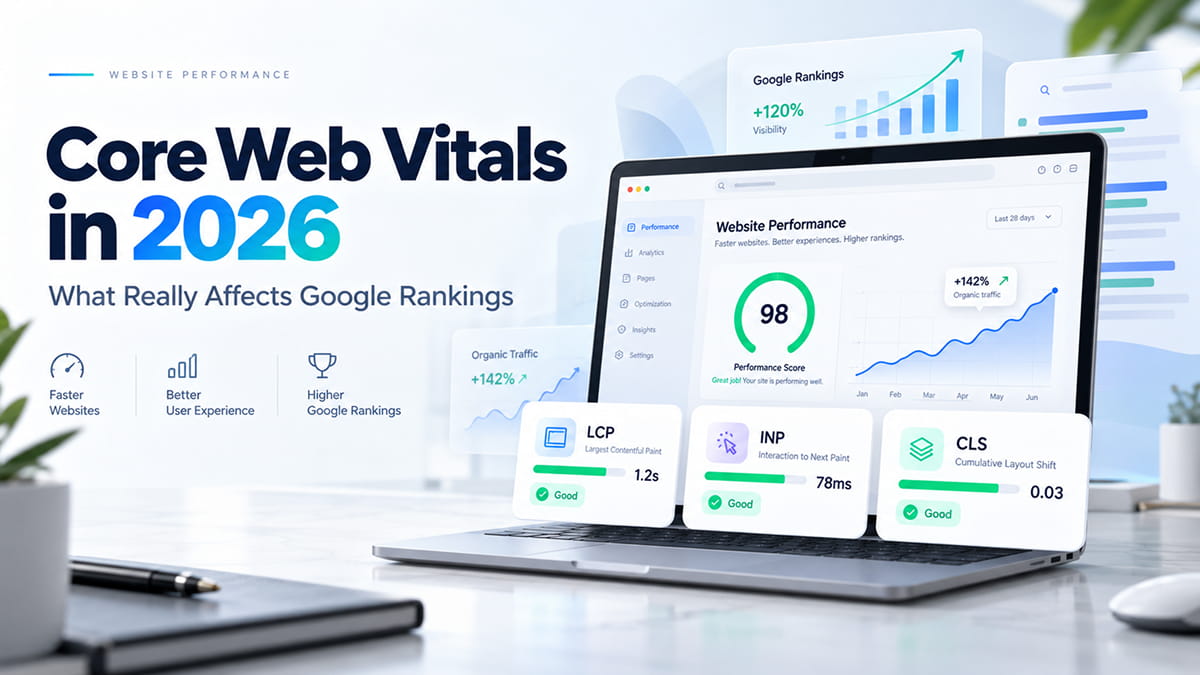
Website speed is no longer simply a technical concern. In 2026, Core Web Vitals remain an important part of how Google evaluates page experience, while website performance also directly affects usability, conversions, engagement, and how easily users can interact with a website.
But there is an important distinction:
Core Web Vitals are not a standalone ranking system, and achieving a perfect PageSpeed score does not guarantee higher Google rankings.
Google uses multiple signals when ranking pages. Core Web Vitals contribute to the broader page experience signals considered by Google’s ranking systems, alongside content relevance, quality, usability, links, and many other factors.
For website owners, the goal should therefore not be to chase a score of 100. The goal is to create a website that loads quickly, responds immediately, stays visually stable, and provides a consistently good experience for real users.
What Are Core Web Vitals?
Core Web Vitals are Google’s set of user-experience metrics designed to measure three important aspects of website performance:
| Metric | What It Measures | Good Score |
|---|---|---|
| LCP | Loading performance | ≤ 2.5 seconds |
| INP | Interaction responsiveness | ≤ 200 ms |
| CLS | Visual stability | ≤ 0.1 |
The three current Core Web Vitals are:
- Largest Contentful Paint (LCP) — how quickly the main visible content loads.
- Interaction to Next Paint (INP) — how quickly the page visually responds after a user interacts with it.
- Cumulative Layout Shift (CLS) — how much visible content unexpectedly moves while the page loads.
Google recommends evaluating these metrics at the 75th percentile of real page visits, separately across mobile and desktop users.
This is important because Core Web Vitals are primarily about real-world user experience, not simply how a website performs during a single automated speed test.
Do Core Web Vitals Affect Google Rankings in 2026?
Yes. Google states that Core Web Vitals are used by its ranking systems and recommends achieving good Core Web Vitals for Search and for users. However, they should not be treated as an isolated Google ranking factor capable of overriding everything else.
A page with excellent Core Web Vitals will not automatically outrank a page with significantly better or more relevant content.
Google’s ranking systems attempt to identify the most useful result for a search query first. Page experience can then contribute to ranking success, particularly when several pages provide similarly relevant and useful information.
The practical takeaway is simple:
Content relevance gets you into the competition. Strong page experience helps make your page a better result for users.
For competitive search results, technical performance can therefore become an important differentiator.
The Three Core Web Vitals Explained
1. Largest Contentful Paint (LCP)
Largest Contentful Paint measures how long it takes for the largest visible content element in the initial viewport to render.
Google considers an LCP of:
- 2.5 seconds or less — Good
- 2.5–4 seconds — Needs improvement
- More than 4 seconds — Poor
The LCP element is commonly:
- a hero image;
- a banner;
- a large heading;
- a background image;
- a featured product image;
- a video poster image;
- or another large visible content block.
What Causes Poor LCP?
Common LCP problems include:
- slow hosting;
- high Time to First Byte;
- oversized hero images;
- unoptimized WebP, AVIF, PNG, or JPEG files;
- render-blocking CSS;
- excessive JavaScript;
- third-party scripts;
- poorly configured caching;
- unnecessary redirects;
- web fonts delaying rendering;
- sliders and video backgrounds;
- incorrectly lazy-loaded above-the-fold images.
One particularly common mistake is applying lazy loading to the main hero image.
Lazy loading is useful for images farther down a page. But if the largest above-the-fold image becomes the page’s LCP element, delaying its download can make LCP significantly worse.
How to Improve LCP
Start with the resource that actually becomes the LCP element.
Typical improvements include:
- Compressing large images.
- Using modern image formats such as WebP or AVIF.
- Serving responsive image sizes.
- Preloading critical hero assets when appropriate.
- Removing unnecessary render-blocking resources.
- Improving hosting and server response time.
- Implementing page and browser caching.
- Using a CDN when appropriate.
- Loading non-critical scripts later.
- Simplifying resource-heavy hero sliders and animations.
For WordPress websites, page builders, plugins, sliders, tracking tools, and third-party integrations are frequently responsible for unnecessary performance overhead.
For Squarespace websites, performance work tends to focus more on image optimization, font usage, third-party scripts, custom JavaScript, video, embeds, and reducing unnecessary external integrations.
2. Interaction to Next Paint (INP)
Interaction to Next Paint measures how responsive a page feels when users interact with it.
INP replaced First Input Delay as a Core Web Vital and provides a broader measurement because it considers interactions throughout a user’s visit rather than focusing only on the first interaction.
A good INP is:
200 milliseconds or less.
Scores between 200 ms and 500 ms need improvement, while values above 500 ms are considered poor.
Examples of interactions measured by INP include:
- clicking a navigation button;
- opening a menu;
- selecting a product option;
- clicking a filter;
- submitting a form;
- opening an accordion;
- interacting with a booking interface.
What Causes Poor INP?
JavaScript is often the main source of INP problems.
Common causes include:
- long JavaScript tasks;
- excessive frontend libraries;
- poorly optimized event handlers;
- heavy page builders;
- multiple analytics and marketing scripts;
- chat widgets;
- third-party booking systems;
- tag managers with too many tags;
- complex DOM structures;
- scripts that execute before they are actually needed.
If the browser’s main thread is busy executing JavaScript, it cannot immediately respond to user input.
The website may appear to have loaded, but users experience a noticeable delay after clicking something.
How to Improve INP
Effective INP optimization often includes:
- reducing unnecessary JavaScript;
- breaking long tasks into smaller tasks;
- delaying non-critical scripts;
- removing unused plugins and libraries;
- optimizing event handlers;
- simplifying complex DOM structures;
- reducing third-party code;
- loading features only when needed;
- reviewing Google Tag Manager implementations.
This is one reason why website performance should be considered during development rather than treated exclusively as a post-launch optimization task.
3. Cumulative Layout Shift (CLS)
Cumulative Layout Shift measures unexpected movement of visible elements.
Have you ever tried to click a button and suddenly had the page move because an image, advertisement, cookie banner, or font loaded?
That is exactly the type of experience CLS is designed to identify.
A good CLS score is:
0.1 or lower.
Scores between 0.1 and 0.25 need improvement, while scores above 0.25 are considered poor.
What Causes CLS?
Typical causes include:
- images without defined dimensions;
- embedded videos without reserved space;
- third-party widgets;
- dynamically injected banners;
- late-loading fonts;
- cookie notices;
- advertisements;
- animations that affect layout;
- content inserted above existing content.
How to Improve CLS
Developers can reduce layout shifts by:
- defining image width and height;
- using CSS
aspect-ratio; - reserving space for embeds;
- avoiding inserting content above existing content;
- optimizing font loading;
- using stable placeholders;
- carefully implementing cookie banners and promotional bars.
CLS improvements are often relatively straightforward once the problematic element has been identified.
PageSpeed Score vs. Core Web Vitals: What Is the Difference?
One of the most common SEO misunderstandings is treating a Google PageSpeed Insights score as equivalent to Core Web Vitals.
They are related, but they are not the same thing.
PageSpeed Insights
PageSpeed Insights can display two different types of performance information:
Lab data
Performance is simulated under controlled conditions using Lighthouse.
This makes lab testing useful for:
- debugging;
- detecting technical problems;
- comparing changes;
- identifying optimization opportunities.
Field data
Field data represents performance experienced by real Chrome users and is based on Chrome User Experience Report data when enough information is available.
Core Web Vitals are fundamentally focused on these real-world experiences.
This explains why a website may receive a high Lighthouse performance score while still failing Core Web Vitals — or receive a relatively modest Lighthouse score while real users experience acceptable performance.
Should You Aim for a PageSpeed Score of 100?
Not necessarily.
A score of 100 can be useful as a technical benchmark, but it should not become the primary SEO objective.
A website with a Lighthouse score of 92 that consistently passes real-world Core Web Vitals may provide a better user experience than a highly simplified website optimized exclusively to reach 100.
Performance optimization should balance:
- speed;
- functionality;
- accessibility;
- conversion rate;
- visual design;
- analytics;
- business requirements.
The target is not a perfect test score.
The target is a fast and usable website.
Are Core Web Vitals More Important on Mobile?
Mobile performance deserves particular attention because mobile devices often operate under more difficult conditions than desktop computers.
Users may have:
- slower processors;
- limited memory;
- slower cellular connections;
- unstable network conditions;
- smaller screens;
- older devices.
A website that feels extremely fast on a developer’s MacBook connected to high-speed Wi-Fi can perform very differently for a customer using an average smartphone on a mobile network.
For this reason, performance testing should include realistic mobile conditions and real-user performance data rather than relying exclusively on desktop testing.
Core Web Vitals and SEO
Core Web Vitals should be viewed as one component of technical SEO.
A technically fast website cannot compensate for:
- irrelevant content;
- weak search intent alignment;
- poor site architecture;
- duplicate content;
- missing internal links;
- crawlability problems;
- incorrect canonical tags;
- thin service pages;
- poor authority signals.
Similarly, excellent content can lose opportunities when the page is frustratingly slow or difficult to use.
A strong SEO strategy combines:
Content + Technical SEO + User Experience + Authority + Performance
This creates a much stronger foundation than optimizing individual metrics in isolation.
Core Web Vitals and AI Search
Website performance is also relevant as search evolves toward AI-generated answers and generative search experiences.
There is no special Core Web Vitals score specifically for ChatGPT, Gemini, Perplexity, or Google’s AI experiences.
However, the same website characteristics that support traditional SEO also help make content easier for search systems and AI-powered discovery platforms to access and understand.
These include:
- crawlable HTML content;
- clear heading hierarchy;
- descriptive page titles;
- concise answers;
- structured content;
- internal links;
- schema markup where appropriate;
- strong topical context;
- reliable technical performance.
This is where SEO, AEO, and GEO increasingly overlap.
SEO
Search Engine Optimization improves visibility in traditional organic search results.
AEO
Answer Engine Optimization structures information so search engines can quickly identify direct answers to user questions.
GEO
Generative Engine Optimization improves how clearly brands, entities, expertise, services, and information can be understood and referenced by generative AI systems.
Core Web Vitals are not a direct GEO strategy, but technical accessibility and website performance support the broader technical foundation on which SEO, AEO, and GEO depend.
How to Measure Core Web Vitals
There is no single tool that should be used for every performance decision.
A good workflow uses several sources.
Google Search Console
The Core Web Vitals report is useful for identifying groups of URLs experiencing similar real-world problems.
Use it to understand:
- which pages are affected;
- whether issues occur on mobile or desktop;
- which Core Web Vital is failing;
- whether performance is improving over time.
PageSpeed Insights
Use PageSpeed Insights for a combination of real-world performance data and Lighthouse diagnostics.
It is particularly useful when investigating an individual page.
Chrome DevTools and Lighthouse
Developers can use browser tools to investigate:
- render-blocking resources;
- JavaScript execution;
- network waterfalls;
- layout shifts;
- unused code;
- image loading;
- main-thread activity.
Chrome User Experience Report
The Chrome User Experience Report, commonly called CrUX, provides anonymized real-user performance information from Chrome users who meet its data requirements.
It is particularly valuable because it shows how websites perform outside controlled development environments.
A Practical Core Web Vitals Audit Checklist
When auditing a website in 2026, we recommend checking the following areas.
Server and Hosting
- Time to First Byte
- server caching
- page caching
- compression
- HTTP configuration
- CDN configuration
Images
- correct dimensions
- WebP or AVIF formats
- compression
- responsive images
- below-the-fold lazy loading
- LCP image prioritization
CSS
- unused styles
- render-blocking CSS
- critical styles
- excessive page-builder CSS
- unnecessary animation
JavaScript
- unused JavaScript
- long tasks
- third-party scripts
- analytics
- marketing pixels
- chat widgets
- consent management tools
Fonts
- number of font families
- number of font weights
- self-hosted vs external fonts
- preload configuration
font-displaybehavior
Layout
- image dimensions
- embed placeholders
- banners
- sticky elements
- cookie notices
- dynamic content
Mobile UX
- navigation responsiveness
- tap targets
- forms
- sticky CTAs
- popups
- mobile image sizes
Performance problems are rarely caused by one metric alone. A proper website performance audit looks at the entire loading and interaction process.
WordPress Core Web Vitals Optimization
WordPress performance can vary dramatically depending on how the website was built.
Two WordPress websites using the same hosting provider can have completely different performance characteristics because of differences in:
- themes;
- plugins;
- page builders;
- custom code;
- image optimization;
- tracking scripts;
- database size;
- caching configuration.
Common WordPress optimization priorities include:
- Removing unnecessary plugins.
- Optimizing Elementor, Bricks, Gutenberg, or other builder output.
- Configuring reliable page caching.
- Optimizing images.
- Delaying non-critical JavaScript.
- Reviewing third-party integrations.
- Optimizing fonts.
- Improving database performance where necessary.
- Using appropriate hosting infrastructure.
- Testing changes against real Core Web Vitals data.
Installing another performance plugin is not always the solution.
Sometimes the biggest performance improvement comes from removing something rather than adding something.
Squarespace Core Web Vitals Optimization
Squarespace provides less server-level control than WordPress, so optimization requires a different approach.
Important areas include:
- reducing custom JavaScript;
- limiting unnecessary third-party scripts;
- optimizing uploaded images;
- reducing large video backgrounds;
- controlling custom fonts;
- simplifying animations;
- limiting external embeds;
- reviewing tracking and marketing tools;
- keeping above-the-fold sections lightweight.
Because infrastructure is largely managed by Squarespace, optimization is usually focused on the content and frontend layer.
How Often Should Core Web Vitals Be Audited?
Performance should not be treated as a one-time launch task.
Websites change continuously.
A site that passes Core Web Vitals today may become slower after:
- installing a plugin;
- adding a new tracking tool;
- uploading large images;
- redesigning the homepage;
- adding a popup;
- implementing a new booking system;
- changing fonts;
- embedding videos;
- launching advertising campaigns.
For active business websites, checking performance after significant design or functionality changes is good practice.
High-traffic or revenue-critical websites may benefit from continuous real-user monitoring.
What Should Businesses Prioritize in 2026?
If your website currently has performance issues, prioritize them in this order:
1. Fix severe user experience problems
Address pages that are genuinely slow, unstable, or unresponsive.
2. Focus on high-value pages
Optimize important pages first:
- homepage;
- service pages;
- landing pages;
- product pages;
- category pages;
- booking pages.
3. Use real-user data
Do not make major development decisions based only on one Lighthouse test.
4. Optimize the biggest bottlenecks
One large hero video may matter more than dozens of minor technical recommendations.
5. Avoid performance optimization for its own sake
Every optimization should improve real user experience or remove genuine technical overhead.
Core Web Vitals in 2026: The Bottom Line
Core Web Vitals remain relevant to Google Search in 2026, but they should be understood in context.
The current metrics are:
- LCP: 2.5 seconds or less
- INP: 200 milliseconds or less
- CLS: 0.1 or less
Google uses Core Web Vitals within its broader ranking systems, but a perfect performance score does not replace useful content, search intent, authority, or proper technical SEO.
The best strategy is therefore not to ask:
“How do we get a PageSpeed score of 100?”
Instead, ask:
“What is preventing real users from experiencing this website quickly and smoothly?”
That question leads to better technical decisions, better websites, and ultimately a stronger foundation for SEO, AEO, and GEO.
Need Help Improving Your Website Performance?
At Ace Web Agency, we build and optimize WordPress and Squarespace websites with performance, technical SEO, usability, and search visibility in mind.
A performance audit can identify what is actually slowing down your website, which Core Web Vitals require attention, and which changes are worth prioritizing.
Rather than chasing arbitrary performance scores, the goal is to create a website that is fast for users and technically strong for search engines.
Frequently Asked Questions
What are the Core Web Vitals in 2026?
The three Core Web Vitals are Largest Contentful Paint (LCP), Interaction to Next Paint (INP), and Cumulative Layout Shift (CLS). They measure loading speed, responsiveness, and visual stability.
What is a good Core Web Vitals score?
Google recommends LCP of 2.5 seconds or less, INP of 200 milliseconds or less, and CLS of 0.1 or less. Performance is generally evaluated using the 75th percentile of page visits.
Do Core Web Vitals affect Google rankings?
Yes. Google states that Core Web Vitals are used by its ranking systems. However, they are only part of the broader signals Google uses, and good Core Web Vitals do not guarantee high rankings.
Is PageSpeed Insights a Google ranking factor?
The PageSpeed Insights performance score itself should not be treated as a direct ranking score. Core